Mock API for React Native — No Backend Required
Build a React Native or Expo app against a live mock REST API — no backend required. This field service app shows exactly how: real job scheduling, technician dispatch, Google Maps, and customer management, all running against MockMyData mock endpoints from day one. When the UI was done, one click exported a complete Django REST Framework backend.
Stop waiting on a backend to start building. Define your data models, get live REST endpoints instantly, and ship your entire React Native UI before writing a single server-side line.
3
Data models
7
Live API endpoints
0
Backend lines to start
STACK
Generate a fake API for testing. Ship your UI first.
Instead of spending days setting up a Django project, writing models, serializers, and auth — MockMyData gives you live REST endpoints from minute one so you can focus entirely on the React Native UI. See how the mock API generator works →
Mock REST API for Jobs, Customers & Staff
Full mock REST API for all three data models — GET, POST, PUT, DELETE — live and queryable from day one. No Django setup, no database migrations, no waiting. Just start building your React Native screens against real endpoints.
Realistic fake data for frontend testing
Jobs linked to technicians and customers with proper field types: ISO dates, status enums, GPS coordinates, and address strings — realistic enough that your Expo app behaves exactly like it would against a real production API.
Generate a Django REST Framework backend instantly
When the UI was production-ready, one click generated a complete Django REST Framework project — models, serializers, viewsets, JWT authentication, Redis caching, filtering, and pagination — all pre-wired and ready to deploy.
Prototype mobile apps without a backend
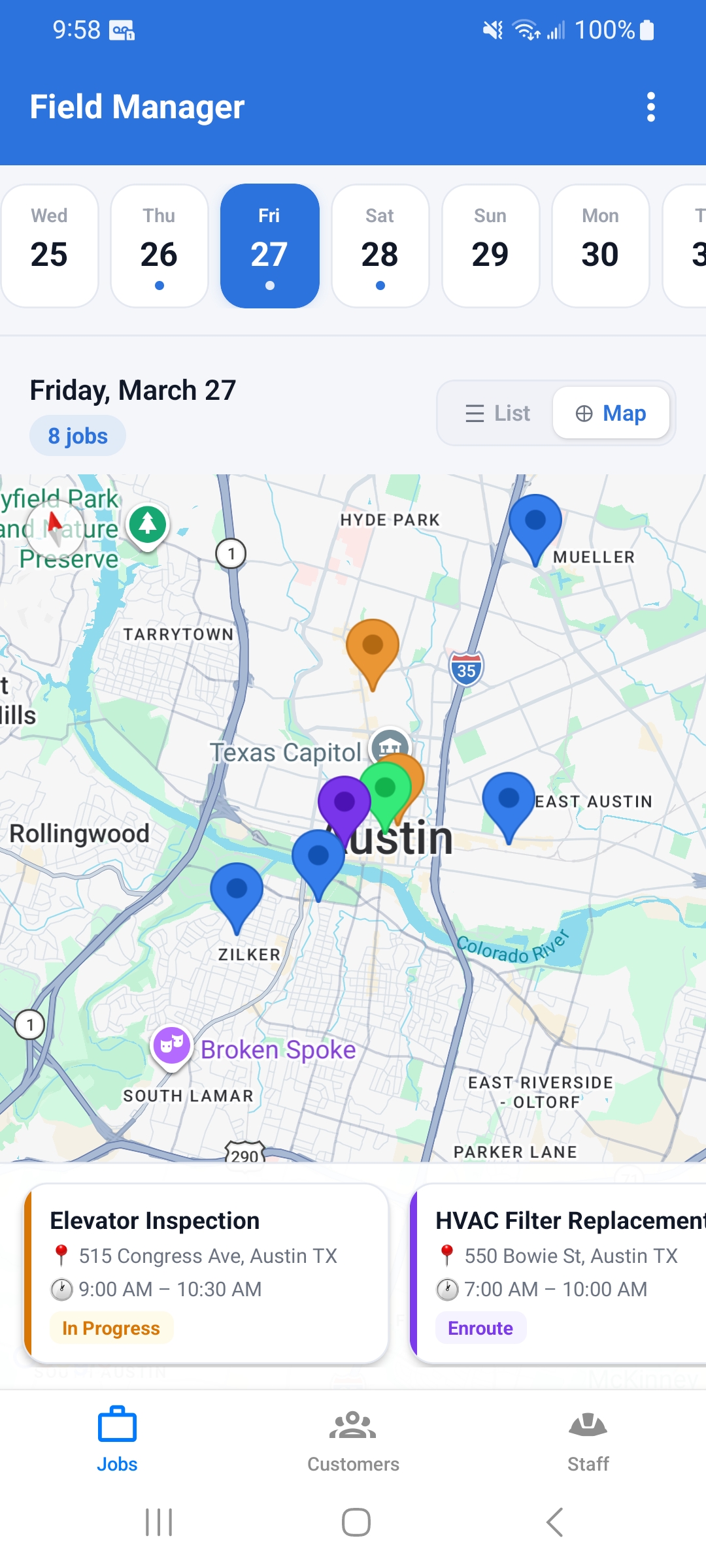
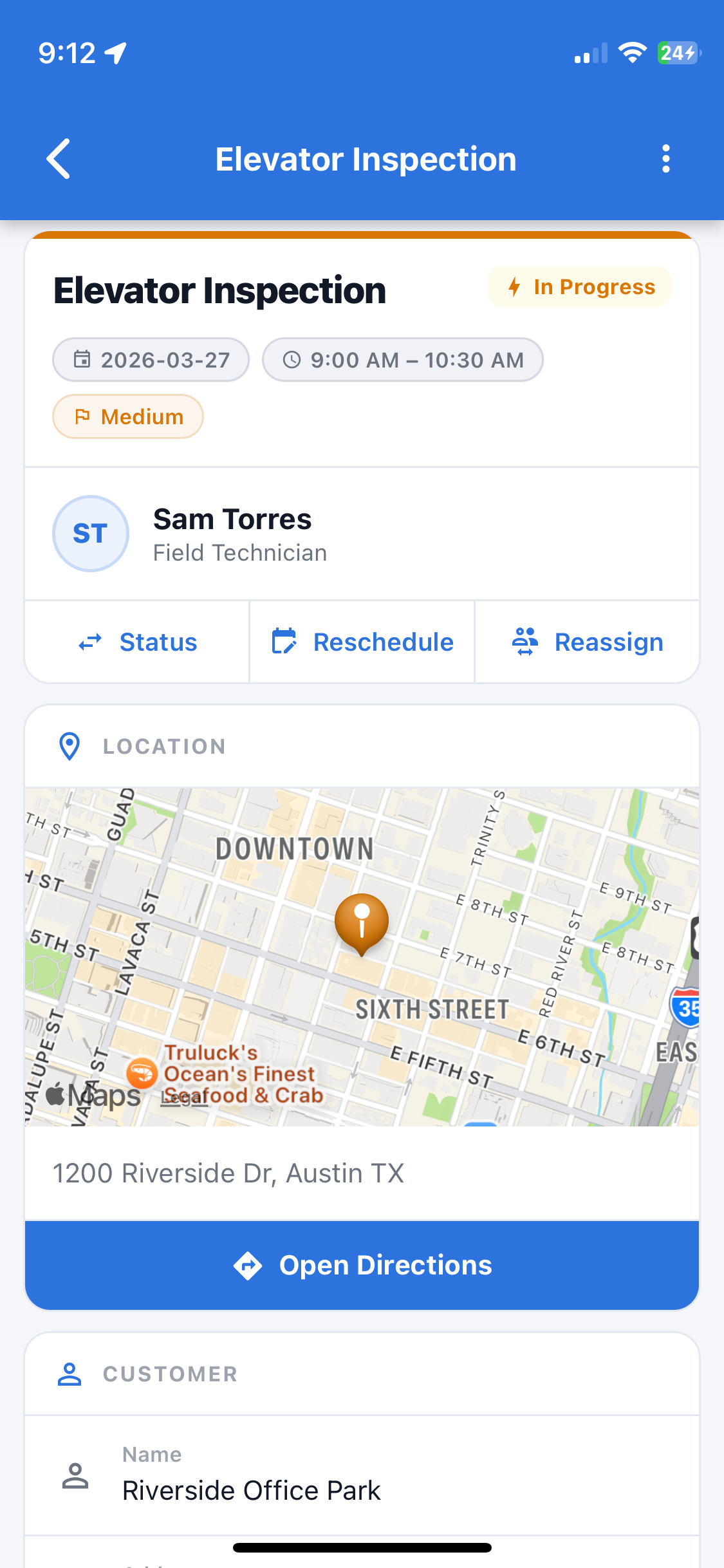
The map view, job list, calendar strip, job detail screen, and status update flow were all built and iterated without touching a server. Backend development only started once the UI was finalized — saving weeks of rework.
7 live endpoints. 3 models. Queryable from minute one.
Every endpoint below was available as a live mock REST API — hosted on a custom subdomain — before the Django backend existed.
When the backend was finally built, the same URL patterns and response shapes were exported from MockMyData — zero refactoring required.
Mock API Base URL
myproject.api.mockmydata.io
REST API — Field Manager
/api/jobs
List all jobs, filterable by status and technician
/api/jobs
Create a new job with customer, address, and time window
/api/jobs/:id
Fetch a single job with technician and customer data
/api/jobs/:id
Update job status: Scheduled, Enroute, In Progress, Complete
/api/customers
List customers with addresses and contact info
/api/staff
List technicians available for dispatch
/api/jobs/:id/assign
Assign a technician to a job
Call your mock API from React Native. Same code. Real backend later.
Your mock API base URL is a real HTTPS endpoint. Drop it into fetch, axios, or any HTTP client — it works exactly like a production backend. When you export to Django, you swap one URL.
Fetch jobs with useEffect
React Native — fetch
// Fetch jobs from your MockMyData endpoint
useEffect(() => {
  fetch('https://myproject.api.mockmydata.io/api/jobs')
    .then(res => res.json())
    .then(data => setJobs(data));
}, []);
Assign a technician with axios
React Native — axios
// Axios example — assign a technician to a job
import axios from 'axios';

const BASE = 'https://myproject.api.mockmydata.io';

await axios.put(`${BASE}/api/jobs/${jobId}/assign`, {
  staff_id: technicianId,
});
Create a job with POST
React Native — POST request
// Create a new job
await fetch('https://myproject.api.mockmydata.io/api/jobs', {
  method: 'POST',
  headers: { 'Content-Type': 'application/json' },
  body: JSON.stringify({
    customer_id: 42,
    address: '1234 Main St, Austin TX',
    scheduled_at: '2026-04-20T09:00:00Z',
    status: 'Scheduled',
  }),
});When you're ready to ship, export your Django REST Framework backend — same models, same endpoints, same response shape. Change one base URL constant in your app and you're on production.
The fastest way to build a React Native app with a mock API
MockMyData is an API mocking tool built for frontend and mobile developers. Define your schema, get a live REST API instantly, and build your entire app before your backend team writes a line.
Mock API generator
Define your data models in a simple schema editor and get a live, hosted mock REST API in seconds. No configuration files, no local servers.
Try the mock API generator →Fake API for testing frontend
Use a realistic fake API to test your React Native, Next.js, or Vue app end-to-end — real HTTP requests, real response shapes, real status codes.
Learn more →Django REST Framework generator
When your UI is done, export a complete production Django project — models, serializers, viewsets, JWT auth, Redis, pagination. Ready to deploy.
See the Django generator →Why use a mock API for React Native apps?
Why use a mock API instead of building the backend first?
Backend-first development means your frontend team is blocked for days or weeks waiting on API contracts. With MockMyData, you define your data schema once and get live REST endpoints immediately — your React Native or Expo app can start making real API calls on day one, with realistic data, before a single Django model is written.
How is a mock API different from hardcoding fake data in your components?
Hardcoded data doesn't test your network layer, doesn't catch serialization bugs, and doesn't reflect the shape of real API responses. MockMyData endpoints behave like a real server — they respond to GET, POST, PUT, and DELETE, persist state per session, and return data in the exact JSON format your production API will use.
What does the Django REST Framework export actually include?
The export generates a complete Django project: models that match your schema, serializers with nested relations, viewsets with filtering and search, JWT authentication, Redis caching setup, pagination, and CORS configuration. It's production-ready scaffolding — not a skeleton you have to fill in from scratch.
Can I use MockMyData as a mock API for Next.js or Vue apps too?
Yes — MockMyData works with any frontend that can make HTTP requests. React Native, Expo, Next.js, Vue, Angular, plain JavaScript. Your mock API is a real HTTPS endpoint; any fetch or axios call works out of the box.
Build your app the same way.
Generate a mock REST API for your React Native or Expo app, build your entire frontend, then export a production Django REST Framework backend when you're ready to ship.
Free tier forever · No backend needed to start · Export anytime